
Desktop
This guide explains how to request a withdrawal on the desktop web.
1. On the top right of the FIXT homepage, click Profile – Withdraw

FIXT Webpage -> Profile Icon -> Withdraw
2. Select your desired transfer method from On-chain Withdrawal or Send to FIXT users (Internal).

Withdraw Option
3. Enter the withdrawal coin, blockchain, withdrawal exchange, withdrawal address, tag, and withdrawal amount, then click the Continue button.
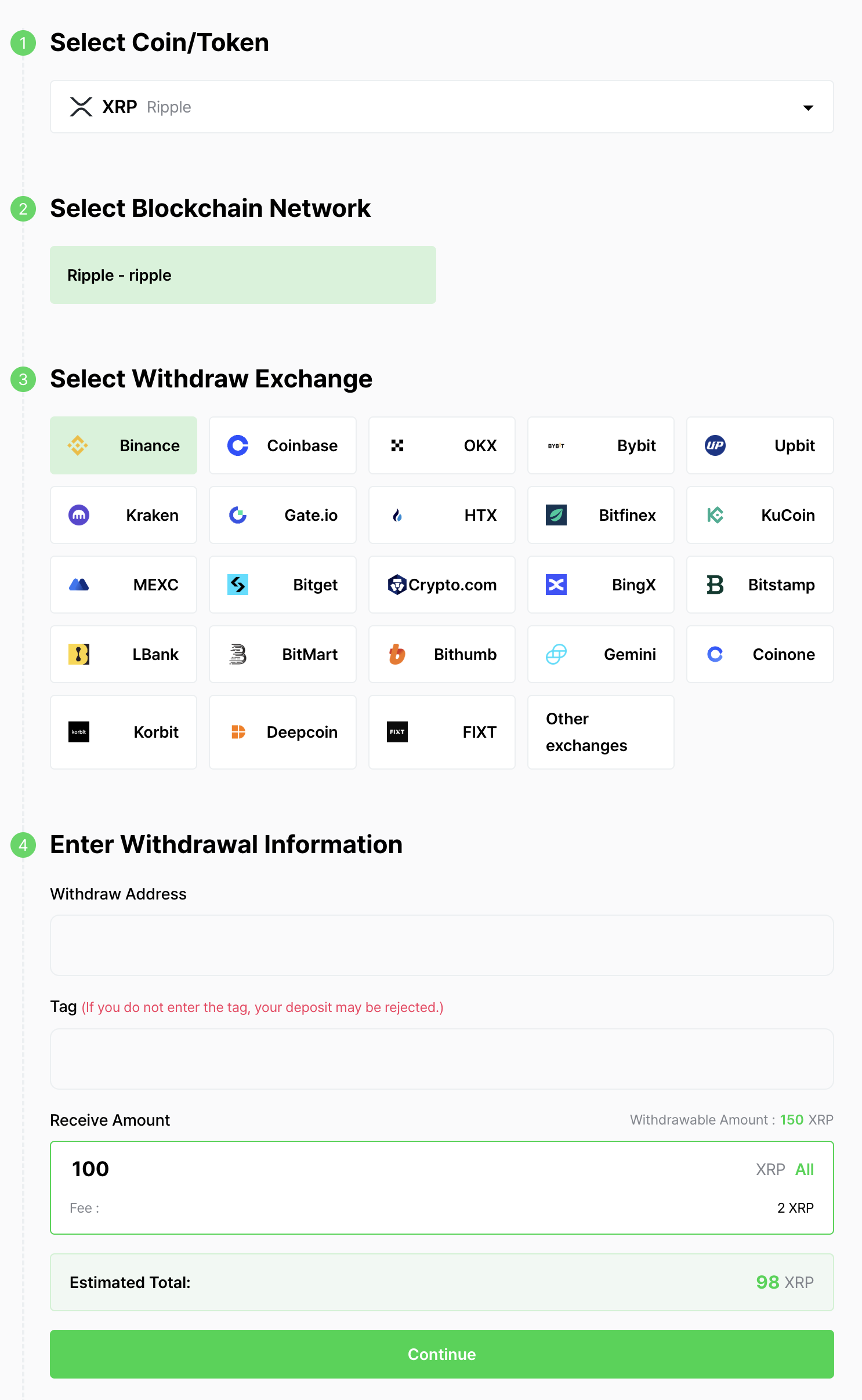
Withdraw details
4. Enter the Travel Rule Verification information. Enter your English name and local name, then click the Continue button.
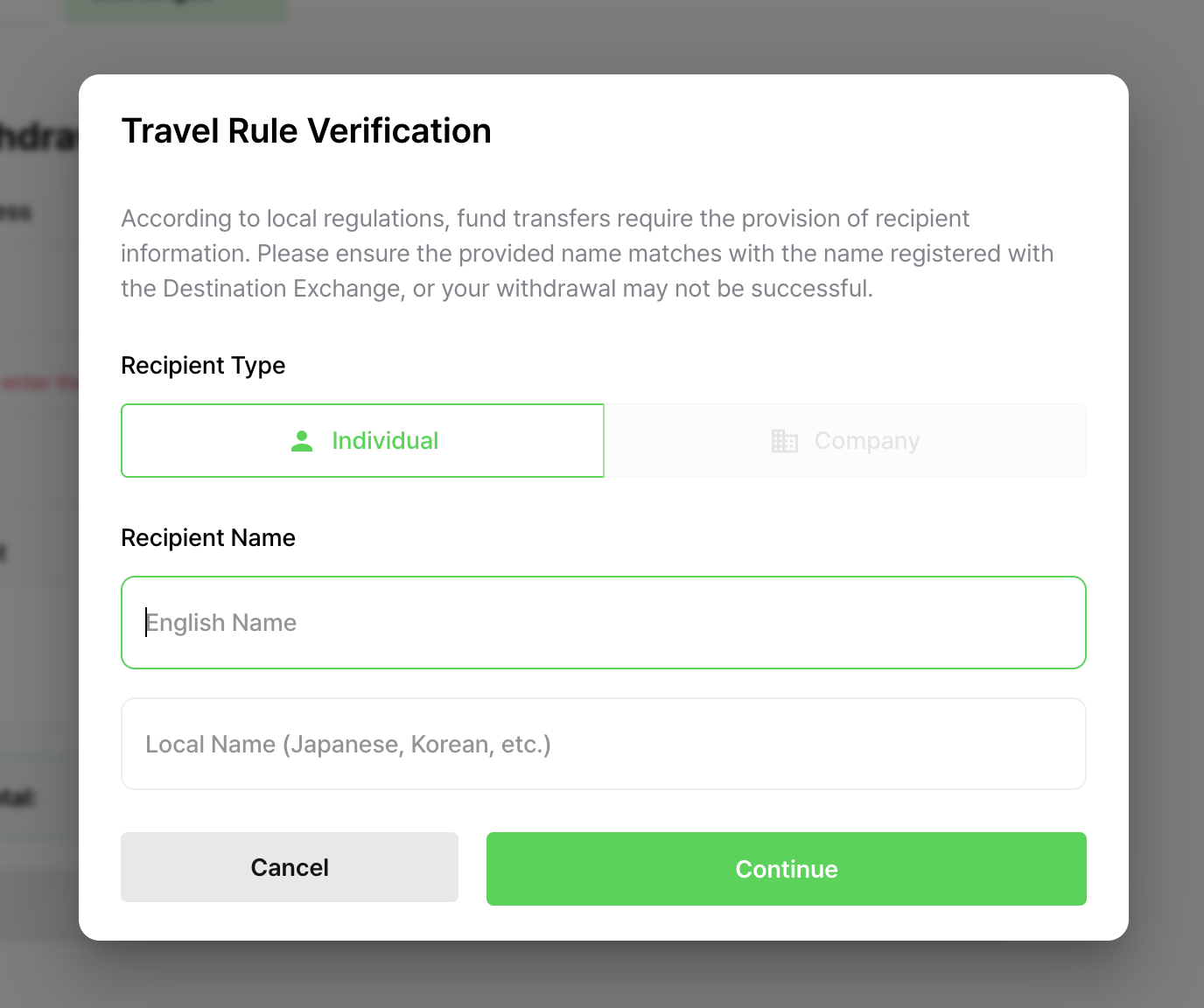
Travel Rule Verification
5. Proceed with the Verify Security Code step. The withdrawal request will be completed once email, SMS, and OTP verification are finished.
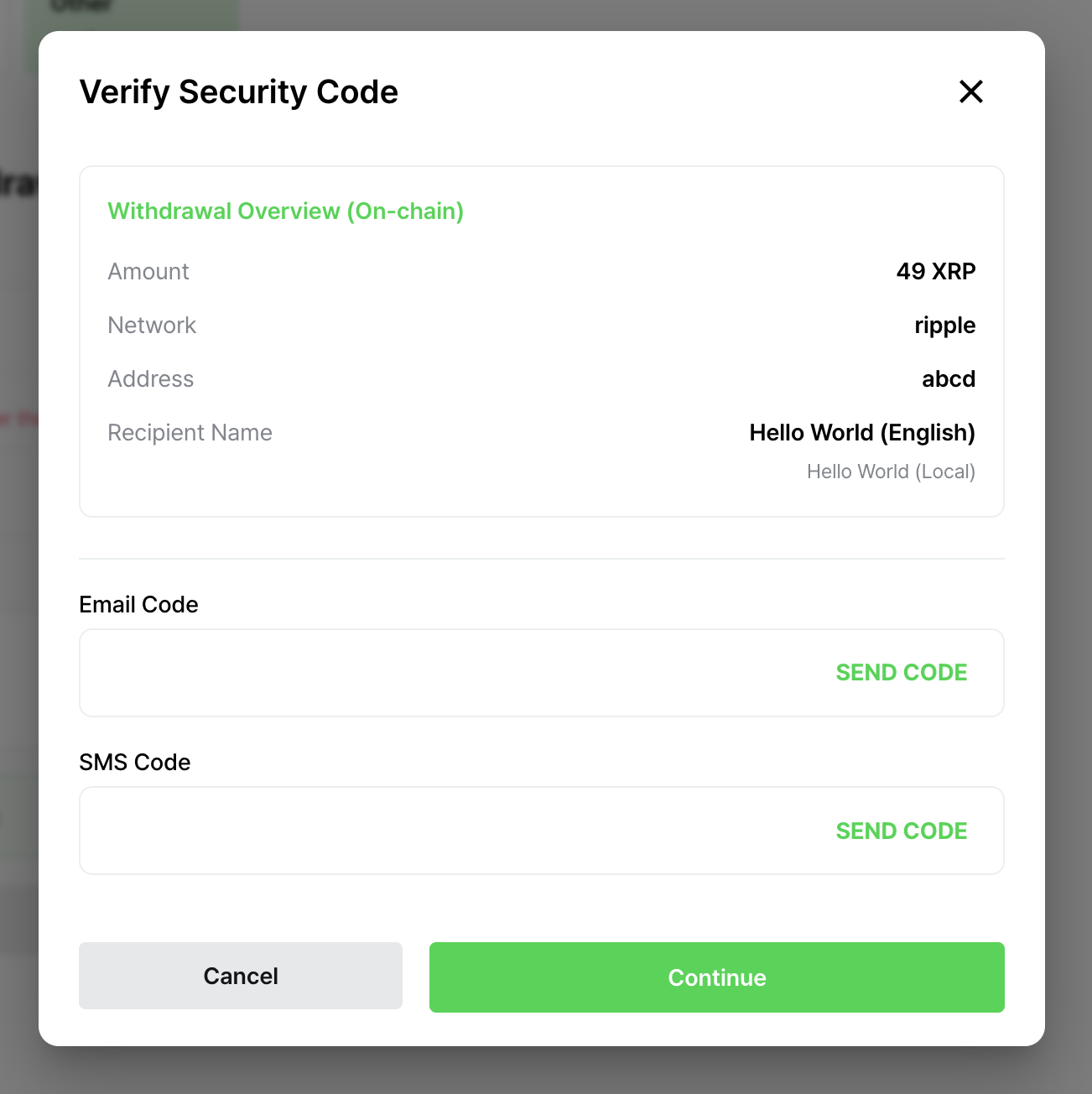
Verify Security Code
Updated 5 months ago
Did this page help you?